
Sign up for a free, no obligation, 28 day trial of PreDrive.
There are no restrictions to your trial. Everything is available to use.


The PreDrive app can be used both online or offline, reports upload automatically and can be viewed on the PreDrive website.
Available on both Android and iOS the PreDrive app can be used to conduct defect check lists and damage reports which are easily customisable.

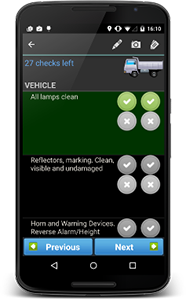
Drivers can select the relevant checklist and then carry out all the checks on the vehicle adding their own comments where necessary.
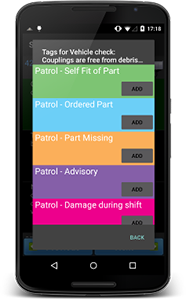
Pre-defined and customisable tags can be added to checked items to provide extra detail.
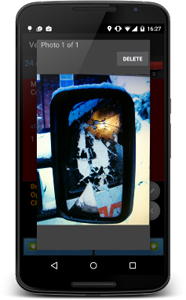
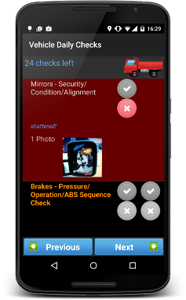
Take photos of defects and damage to provide extra information about a check.
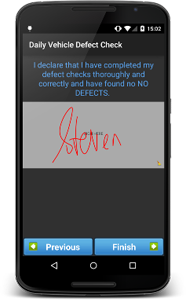
Record whether the Vehicle or Trailer passes or fails your check. Depending on the result of all the checks performed, the driver will sign off against a specific declaration as defined in the checklist
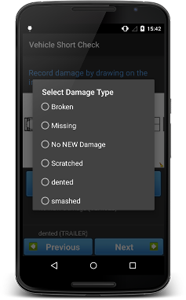
Drivers can also circle areas of damage on an image of their vehicle.
Create your own list of damage types or use pre-defined defaults. Comments can be used to provide extra context about potential damage.
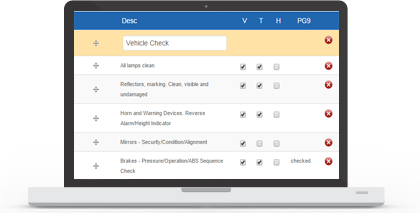
Create your own driver inspection checklists for different vehicle types on the PreDrive website.
Customise bespoke checklists by uploading your own vehicle image and most importantly creating your own specific daily driver defect and damage reporting checks.
Get detailed information about the location of your check, the time it took, how many checks passed or failed and complete audit trails of what happened to the failures that were reported.
You can view the entire history of either a vehicle or a driver with regard to their checks using the range of reporting tools.
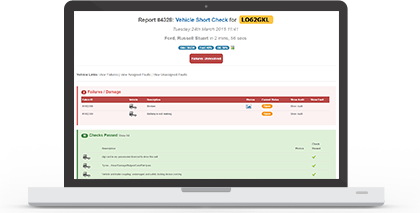
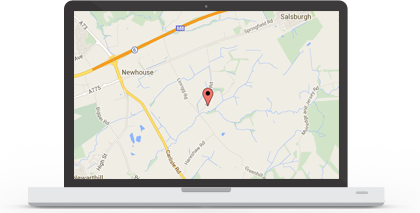
You are able to clearly see where the vehicle inspection took place and at what time and how long it took to complete.
Use the reporting tools to show vehicles that have or haven't been checked. Show driver shifts that don't have an inspection.
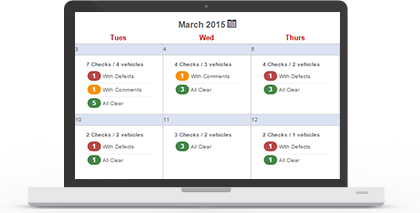
Calendars showing inspections for individual drivers and vehicles, showing their complete history.
A calendar view of all inspections across the entire fleet. Drill down into any specific day to get a daily summary, or drill down further into individual inspections and failures.
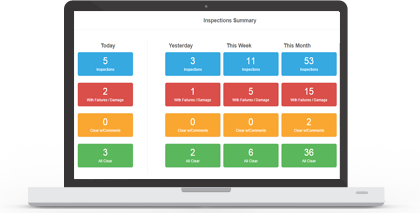
With PreDrive you can see detailed summary totals showing the number of inspections performed in a specific period.
Summaries are grouped by failed checks, faults, and passed.
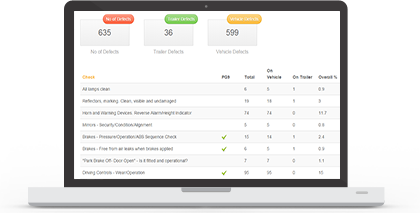
Detailed Analytics tools which show you the complete history of all reported failures and identify potential areas for reducing costs.
Able to show the most common defects reported across the whole fleet, individual drivers, vehicles and between a specific date range.
Tachomaster Falcon Tracking Roadrunner Checkmaster PreDrive
Contact Us
Shenley Hall, Rectory Lane,
Shenley, Radlett.
Hertfordshire, WD7 9AN
T 01923 460000
info@roadtech.co.uk


